Low-code workflow editor
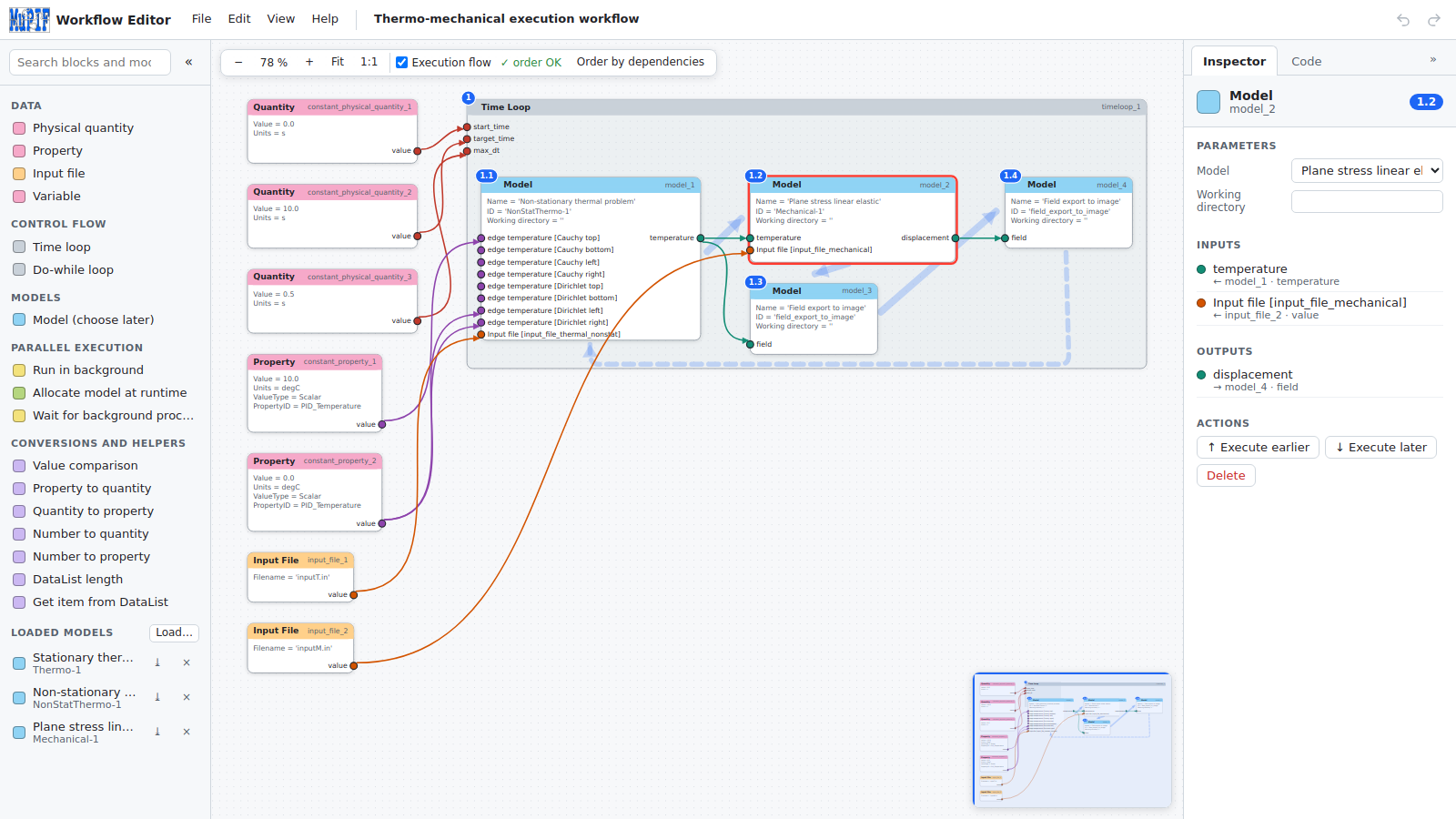
The Workflow Editor and Code Generator makes MuPIF accessible to users who do not want to start from Python code. You draw the workflow in the browser, and the editor generates the executable Python code: the execution script, the workflow class and the server code.
Open the Workflow Editor Source code
Features
- Building blocks: models, physical quantities and properties, input files, time loops and do-while loops, parallel execution (running in the background, allocating models at runtime), and conversions between data types.
- Models from metadata: load the metadata of your models and use them as blocks. Their inputs and outputs, with units and types, become the slots of the block.
- Data links: connect outputs to inputs. Only compatible slots can be connected, and required inputs that are not connected are highlighted.
- Live code preview: the generated code is updated after every edit. The code of the selected block is highlighted and can be copied or downloaded.
- Model API generator: generates a Python skeleton of a model interface from its metadata, as a starting point for integrating a new code.
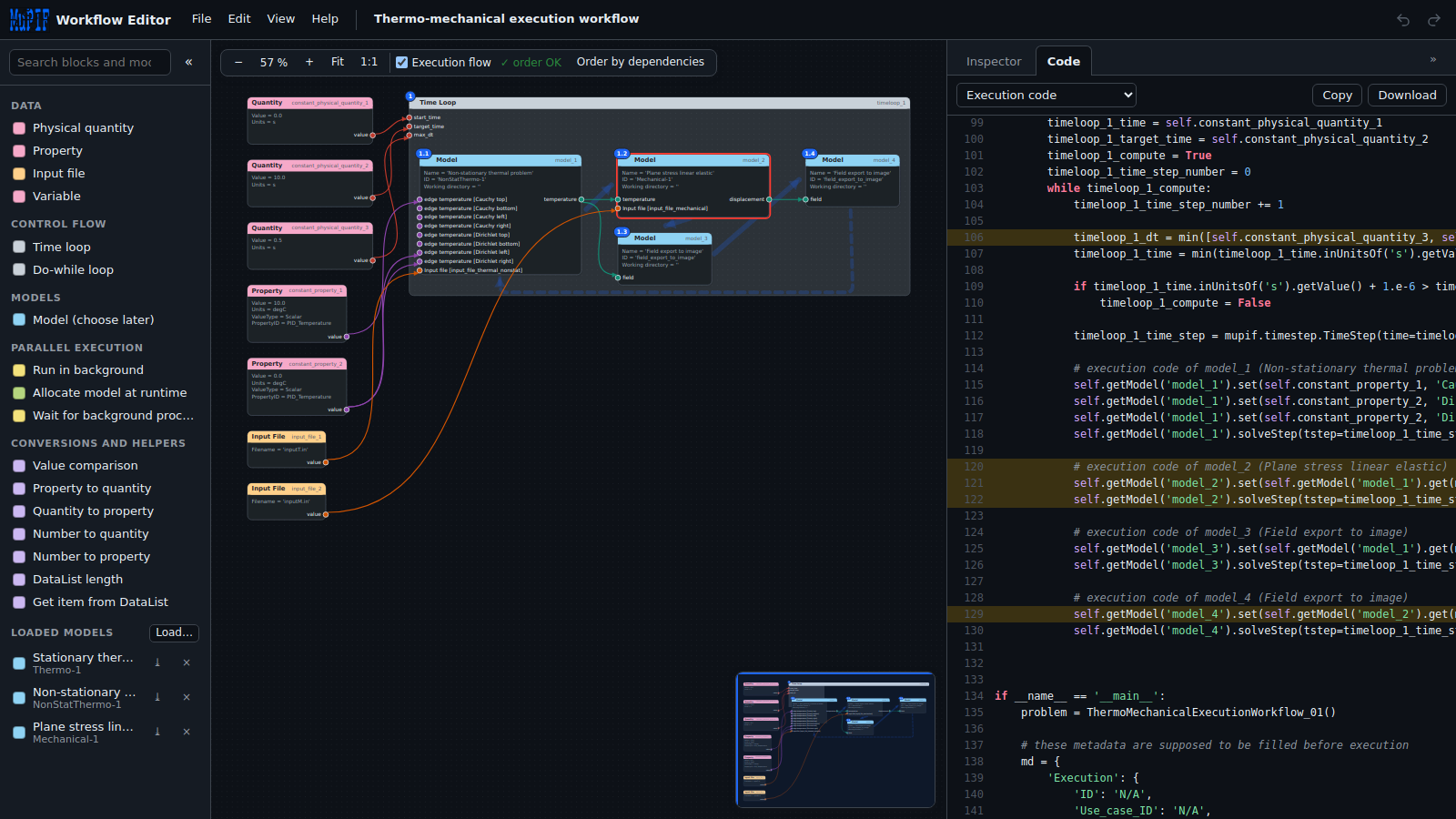
The editor was developed within the Musicode project as part of its low-code approach to multiscale materials modelling, see Campagna et al., 2025.
 (since February, 2023)